

Truxgo
Tools
Corp Truxgo


Global-Ready KVM VPS from just US $3/mo
Fast SSD, Anti-DDoS protection and 19 global datacenter locations.
Get full KVM control, fast SSD performance and reliable global connectivity to scale your projects with confidence. Connect effortlessly with your audience worldwide.
Deploy NowWhy Developers Choose Truxgo VPS

| Location | Ram | Storage | Monthly | Availability |
|---|---|---|---|---|
| HOT  Mystery VPS Mystery VPS |
512 MB | 25 GB SSD | $3.00 | Deploy Now |
| HOT  Brazil Brazil |
512 MB | 25 GB SSD | $7.00 | Deploy Now |
|
HOT  México
|
512 MB | 25 GB SSD | $7.00 | Deploy Now |
| HOT  Los Angeles Los Angeles |
512 MB | 25 GB SSD | $4.00 | Deploy Now |
| Location | Ram | Storage | Monthly | Availability |
|---|---|---|---|---|
| Brazil |
512 MB | 25 GB SSD | $7.00 | Deploy Now |
| Chicago |
512 MB | 25 GB SSD | $20.00 | Deploy Now |
| Dallas |
512 MB | 25 GB SSD | $20.00 | Deploy Now |
| Los Angeles |
512 MB | 25 GB SSD | $4.00 | Deploy Now |
| México |
512 MB | 25 GB SSD | $7.00 | Deploy Now |
| Miami |
512 MB | 25 GB SSD | $4.00 | Deploy Now |
| Location | Ram | Storage | Monthly | Availability |
|---|---|---|---|---|
 Bulgaria
 |
1 GB | 25 GB SSD | $15.00 | Deploy Now |
 France
 |
1 GB | 25 GB SSD | $15.00 | Deploy Now |
 Germany
 |
1 GB | 25 GB SSD | $15.00 | Deploy Now |
 Greece
 |
1 GB | 25 GB SSD | $15.00 | Deploy Now |
 Netherlands
 |
1 GB | 25 GB SSD | $15.00 | Deploy Now |
 Sweden
 |
1 GB | 25 GB SSD | $15.00 | Deploy Now |
 Turkey
 |
1 GB | 25 GB SSD | $12.00 | Deploy Now |
 United Kingdom
 |
1 GB | 25 GB SSD | $15.00 | Deploy Now |
| Location | Ram | Storage | Monthly | Availability |
|---|---|---|---|---|
 India
India |
2 GB | 20 GB SSD | $25.00 | Deploy Now |
 Japan
Japan |
512 MB | 25 GB SSD | $12.00 | Deploy Now |
 Korea
Korea |
512 MB | 25 GB SSD | $12.00 | Deploy Now |
 Singapore
 |
1 GB | 50 GB SSD | $20.00 | Deploy Now |
Choose from over 3 different hosting services
Explore our diverse hosting options for your website or application.
$ 6.00 /mo
$ 70.00 /mo
$ 20.00 /yr

Our Services
Cloud Hosting, Dedicated Server and Cloud Servers are common options. Tailored for diverse needs they vary in performance, control and scalability.
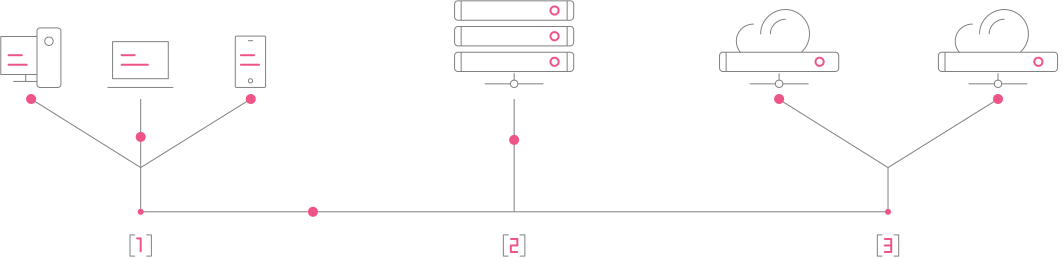
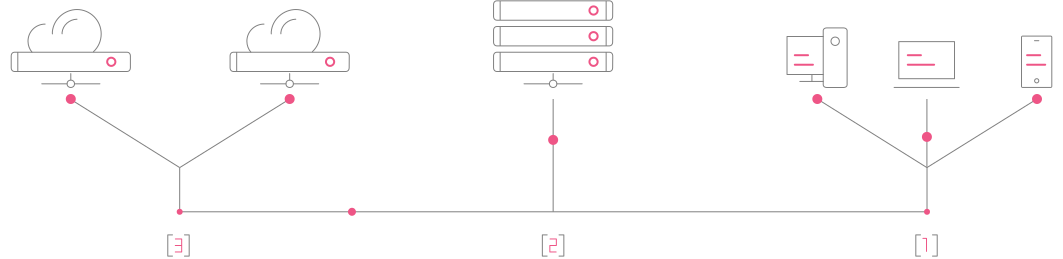
Easy and accessible hosting for individuals and small businesses.
Unparalleled control and performance for resource-intensive applications.
Scalable and flexible hosting for agile businesses.
Why Choose TRUXGO Servers?
Reliable hosting with blazing-fast speeds. Choose us for exceptional performance.

20x faster than standard SATA disk drives, we provide all new cloud servers with high performance SSD hard drives.

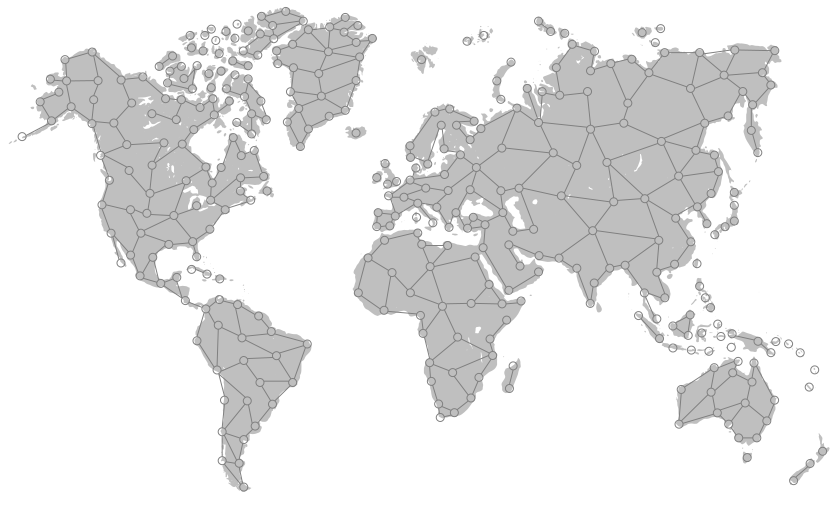
Brazil, Turkey, France, Germany, Japan, Korea, Mexico, Netherlands, Singapore, Sweden, Turkey, UK, US and more.

No traffic restrictions on most of our cloud servers locations. Empower your business with unlimited scalability.

Unrestricted root access: Enjoy full control over your cloud environment with no limitations on our services.

Expert Support: 24/7 problem-solving. No question is too basic or complex. We're here to help.

Stay connected to your cloud service: We accept 850+ payment methods, providing convenience and reliability.
Our Datacenters are Located in 19 Regions
A dedicated server ensures optimal performance, security, and full control over resources. Ideal for resource-intensive applications, high traffic, and customized storage and processing needs
Frequently Asked Questions VPS/Cloud
Explore the comprehensive Frequently Asked Questions on VPS/Cloud, answering all your queries about access and quick questions.
-
Download and install PuTTY from the official website PuTTY.org.
Launch PuTTY and enter the IP address of your VPS server in the "Host Name" field.
Remember to use port 22.
Click the "Open" button to initiate the connection.
A terminal window will appear. Enter your username and press Enter.
Next, enter your password when prompted. Note that the password won't be visible as you type, but it's being entered.
Once you've successfully entered the correct credentials, you will be connected to your Linux VPS server via PuTTY.
-
At Truxgo, you have access to a wide range of payment options, including more than 850 forms of payment.
Cryptocurrencies: BUSD, Litecoin, Dogecoin, Dai, ETH, XRP, among others.
Cash and credit methods: Bank Transfers, Credit Card, GoCash Game Card, PayPal, Paysafecard, Todito Cash, among others.
-
Truxgo aims to provide unrestricted traffic in the majority of its locations or offer TUN/TAP functionality to support the VPN server industry.
-
While Truxgo understands its clients' needs, it's important to consult about IP availability for email marketing as IPs may be occupied or undergoing cleaning processes.


